











Cleverence Inventory

Cleverence QuickBooks Integration with Qwickbridge Sync

Stop typing receipts, picks and stock counts into QuickBooks by hand. Cleverence Inventory puts barcode scanning on Android devices, and QwickBridge sets it up and keeps it running.
Powered by AI. Automated Insights, Human-Supervised
Cleverence Inventory
Autometed. Accurate. Aligned.
Real-Time
Sync
Secure
& Reliable
Save
Time
Reduce
Errors
Schedule a call

Book a demo with one of our experts!

Get a guided tour Let's do the setup together 100% Free
Integration

Is Your Warehouse Still Keying Paper Into QuickBooks Instead of Scanning Barcodes?

When stock is received, picked and counted on paper, someone types it all into QuickBooks later, and the numbers drift from the shelf. Cleverence Inventory captures each step with a barcode scan and sends it to QuickBooks.

01 Synchronization

Barcode Scanning That Stops Re-Keying Into QuickBooks

Receiving, picking and counts are scanned on the warehouse floor, and Cleverence Inventory sends the results to QuickBooks instead of paper.
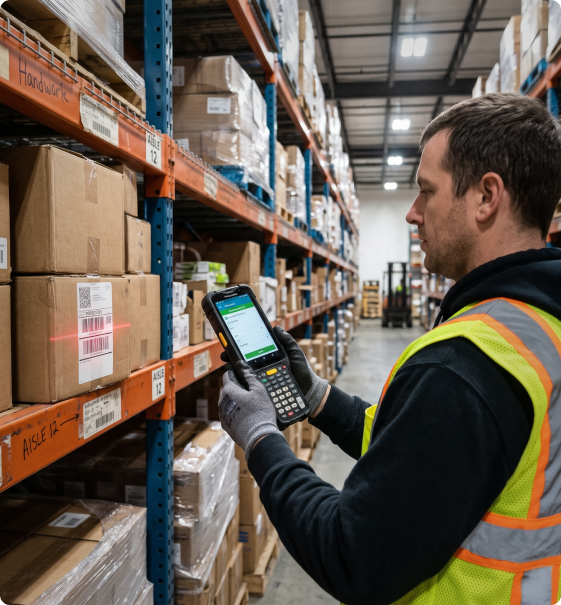
Purchase orders are received by scan, partial deliveries included; in Desktop Enterprise the item receipt links to the PO. Pickers ship sales orders from the handheld; in Desktop Enterprise the invoice is built from what was scanned. Cycle counts and full counts come back as quantity adjustments; nobody retypes count sheets at the end of the day. QuickBooks stays the system of record for items, vendors and customers; the warehouse works from the same lists.
Cleverence Inventory quickbooks integration 1
02 Power Your Business with Seamless Integration

Reduce the Data Entry Behind Every Delivery and Order

Each scan checks the item against the order on the spot, so wrong items and short counts show up at the dock, not in the books.
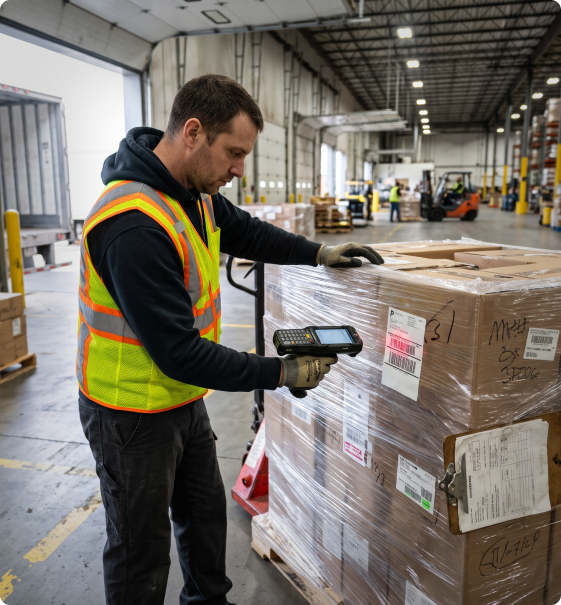
Wrong-item picks are caught when the barcode doesn't match the order line; fewer returns and credit memos later. Receiving staff see what is still expected on each PO; short shipments are clear before the driver leaves. Warehouse users run on Android handhelds or phones, licensed per device; they don't need QuickBooks seats. The app keeps working offline in dead zones and cold rooms; scans sync once the device reconnects.
Cleverence Inventory quickbooks integration 2
03 Sync in Real Time, Sell with Confidence

QwickBridge Sets Up, You Scan: Stock That Matches QuickBooks

When every movement is confirmed by scan, QuickBooks quantities match the shelf, and accounting closes the month without chasing counts.

Regular cycle counts replace the yearly shutdown count; adjustments reach QuickBooks without a spreadsheet in between. Advanced Inventory barcodes, sites and bins in QuickBooks Desktop Enterprise guide pickers straight to the right shelf. Online companies connect through a secure sign-in; Desktop Enterprise syncs through Web Connector as often as every minute. QwickBridge handles the setup and item mapping; your team starts with a pilot on one or two devices.
Cleverence Inventory quickbooks integration 3
Talk to an integration specialist

Looking for the best integration services for your business?

Tell us how your business works today, and we'll help you build a smarter, more connected workflow.

FAQs

Got Questions? We’ve Got Answers.

It moves receiving, picking and stock counts from paper to barcode scanning on Android devices. The results go to QuickBooks, so nobody types them in later.
Yes. In Desktop Enterprise, receiving, shipping and counts post item receipts, invoices and adjustments automatically.
Yes, both, with Desktop connecting through QuickBooks Web Connector. QuickBooks Desktop Pro and Premier aren't supported.
Android handhelds from Zebra, Honeywell, Datalogic and other brands, or Android phones using the camera. The app works offline and syncs later.
QwickBridge connects your QuickBooks company, maps items and locations, and trains your team. Most companies start with a pilot on one or two devices.

Sync Your Cleverence Inventory with QuickBooks

Automate data sync, eliminate manual entry, and keep your business running in perfect balance.

Schedule Call Now

Start Conversation

Please fill out the form below and our team will contact you shortly.